MYOPL NEWS
How to Organize an Open Play Pickleball Session
Learn how to manage rotations, attendance, communication, and confirmed match results for a smoother, more social pickleball open play session.
FOR IMMEDIATE RELEASE
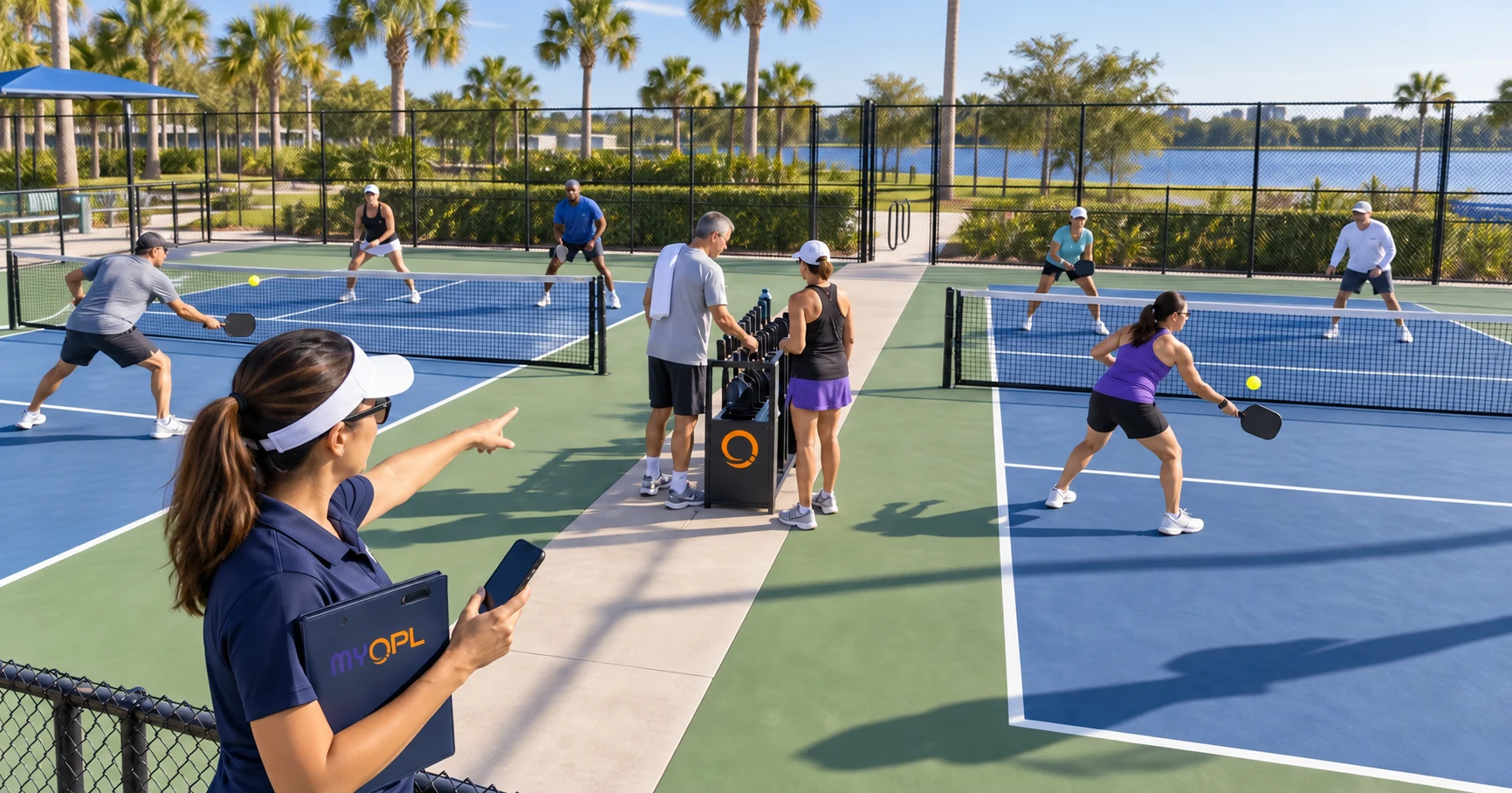
Keep open play fun, social, and easier to manage—without replacing the paddle rack players already understand.
JUPITER, FL — September 10, 2026 — Running pickleball open play should feel like hosting a game, not managing a spreadsheet. The hard parts are usually the same: knowing who plans to come, explaining the rotation, sharing last-minute changes, welcoming different skill levels, and deciding whether scores will count.
MYOPL keeps the schedule, attendance responses, conversation, and confirmed results in one place—while the venue keeps the paddle rack and court rotation that already work.
Get the “A Game on the Calendar” media asset and website embed code from MYOPL Press Assets.
What Is Pickleball Open Play?
Open play is a flexible, social format where players rotate through games instead of competing in a fixed bracket or staying with the same partner all session.
Some sessions welcome anyone. Others have capacity limits, skill guidance, membership requirements, or designated times for particular groups. Rotation rules also vary by venue.
Whatever format an organizer chooses, players should know:
- Where and when the session takes place
- Who is eligible to participate
- Whether space is limited
- How the rotation works
- What skill guidance applies
- Whether match results will be recorded
Clear expectations create a better experience before anyone steps onto the court.
Start With a Simple Session Plan
Before inviting players, answer six questions:
- Where will the session take place? Confirm court availability and any venue requirements.
- When does it begin and end? Publish a clear date, time, and expected session length.
- Who is the session for? Explain any membership, capacity, age, or skill guidance.
- How will players rotate? Choose a system players can understand quickly.
- Where will updates be posted? Give everyone one reliable place to find schedule changes and announcements.
- Will match results be recorded? Tell players before play begins so participation remains transparent and optional.
That small amount of preparation prevents most open play confusion.
1. Choose a Rotation That Fits Your Group
A good rotation keeps games moving while making the session feel fair and welcoming. Common approaches include:
- Four on, four off: All four players leave the court after a game, and the next four enter.
- Winners stay: Winners remain for another game, often with a limit on consecutive wins.
- Winners split: Winners separate and play with new partners in the next round.
- Round-robin or switching doubles: Players rotate through planned partner and opponent combinations.
No single method is right for every venue. Court count, attendance, player preferences, and skill range all matter. Whichever system you choose, explain it at the start and keep it consistent. If you need to change the rotation during the session, tell the group why.
Keep the Paddle Rack
A paddle rack is simple, visible, and already familiar to many pickleball players. There is no need to replace it with a complicated digital queue.
MYOPL does not decide who plays next or assign players to physical courts. The venue remains in control of the on-site rotation.
Instead, MYOPL adds the organizational layer around open play:
- A published schedule
- Attendance responses
- Shared announcements and conversation
- Optional match recording
- Ratings, reliability context, and eligible leaderboard views based on confirmed results
The paddle rack manages the next game. MYOPL helps manage the session and the community around it.
2. Turn Headcount Guesswork Into a Planning Signal
Attendance can change the entire character of an open play session. Eight players on four courts feels very different from twenty-eight players on four courts. Organizers may need to adjust court access, rotation rules, session timing, or player expectations.
With a MYOPL Event, players can respond Going, Maybe, or No. Responses are tracked for the relevant session or time slot. Organizers can review who plans to attend, while members can see the response totals available on the Event.
These responses are planning signals rather than guaranteed reservations, waitlist positions, or check-ins. Plans can change. But the responses still give organizers and players more useful information than arriving with no idea how busy the session may be.
That can help organizers anticipate a crowded or quiet session, set expectations about possible wait times, adjust the rotation plan, communicate capacity concerns, and make better use of available courts. It also helps players choose a session that fits the experience they want.
3. Welcome Different Skill Levels Without Losing the Social Experience
Mixed-skill play can be one of open play’s strengths. Newer players meet the community, experienced players find new partners, and everyone gets more variety. The goal is not to pretend skill differences do not exist. The goal is to manage them thoughtfully.
A healthy session can:
- Publish clear skill guidance when appropriate
- Respect player comfort and safety
- Encourage variety without forcing unsuitable matchups
- Offer flexible court or time-slot guidance when enough space is available
- Use ratings as helpful context rather than as a measure of who belongs
MYOPL’s Open Play League Rating is designed for confirmed social play and is separate from an external tournament rating. Singles and doubles are tracked separately. In doubles, each participant is evaluated individually based on the recorded match context and result. MYOPL also provides reliability context, helping players understand how much confirmed match history supports a rating.
Players choose which matches they record. A friendly game does not need to become a rated match unless the participants want it to count. An OPL Rating should help players find compatible games and follow their progress—not take the social spirit out of open play.
4. Put the Schedule and Conversation in One Place
Open play communication often becomes scattered across text messages, social media posts, email threads, and word of mouth. That makes simple questions harder than they need to be: Is today’s session still happening? Did the start time change? Which courts are being used? What rotation are we following? Is the session likely to be busy?
A MYOPL Open Play League gives the group a shared conversation connected to its Events. Organizers can publish schedules and post updates about weather, location, timing, access, or session format. Members have one place to check the latest information and stay connected between sessions.
5. Decide Whether Scores Will Count
Some open play groups want casual games with no record keeping. Others enjoy tracking results, following their progress, and building friendly standings. Both approaches are valid.
If your group plans to record matches, explain that before play begins. After a completed match, the actual participants, score, date, and location can be entered through the relevant Court, Club, or OPL conversation.
A submitted result is not treated as confirmed solely because one person entered it. It must also be confirmed by at least one other participant, unless an applicable automatic approval rule is in effect.
Confirmed results can contribute to match history, OPL Rating changes, rating reliability, and eligible standings and leaderboard views. Some expanded statistics and leaderboard features may require an eligible MYOPL Plus subscription. Players can still view their decimal OPL Rating without turning every session into a formal competition.
The important principle is consent and clarity: record the matches players expect to count, and leave the rest as casual play.
How MYOPL Helps the Open Play Community
| Group | How MYOPL Helps |
|---|---|
| Players | Find the session, review details, respond to Events, follow updates, and optionally record confirmed matches |
| Organizers | Publish schedules, review attendance signals, communicate changes, and help maintain accurate results |
| Courts and clubs | Give recurring open play a shared digital home and improve visibility into planned participation |
| Communities | Keep conversations, sessions, and confirmed playing history connected over time |
MYOPL supports the parts of open play that happen before and after each game. The venue still controls its courts, physical queue, and rotation.
Open Play Organizer Checklist
Before the Session
- Confirm court availability and venue permission
- Publish the date, time, location, and access requirements
- State any capacity or skill guidance
- Explain the rotation system
- Collect attendance responses
- Tell players whether match recording is planned
- Post any equipment or facility information newcomers should know
During the Session
- Welcome new players and explain the rotation
- Keep the paddle queue visible and consistent
- Respect player safety and matchup preferences
- Adjust the format if attendance differs from expectations
- Communicate any schedule or court changes
- Record only completed matches involving the correct participants
After the Session
- Confirm or correct submitted results
- Post the next session when it is ready
- Invite constructive feedback
- Update recurring instructions when something did not work
- Recognize the volunteers and players who helped the session run smoothly
How to Start an Open Play League in MYOPL
To request an OPL, sign in to MYOPL and join the Court or Club where the open play session takes place. Open that Court or Club, go to its OPL section, select Add Open Play League, and submit the requested information for review.
Once the OPL is available, recognized organizers can publish Events, add session details, communicate with members, and begin collecting attendance responses. If an OPL already exists for your group, join it instead of creating a duplicate.
Make Open Play Easier to Run—and Easier to Join
The best open play sessions feel simple to players because someone took the time to make the expectations clear.
Keep the paddle rack. Keep the social atmosphere. Keep your venue’s established rotation. Then use MYOPL to bring the schedule, attendance responses, conversation, and confirmed results together.
Explore MYOPL and give your open play community one place to stay organized.
MYOPL — My Open Play Leagues
The easiest way to run Open Play Sessions.
MYOPL is available now for download on the Apple App Store, Google Play Store, and accessible via web and desktop browsers. Claim your court or join your local open-play league today at myopl.net.
About MYOPL
MYOPL (My Open Play League), developed by StreetLoc Inc., is a social sports platform for finding places and people to play, organizing open play sessions, coordinating attendance, recording confirmed matches, and following recreational progress. MYOPL begins with pickleball and is designed around the way social play actually happens.
Media Contact
Press Relations
MYOPL / StreetLoc Inc.
Contact Us
Press Assets
myopl.net
Frequently asked questions
What is a pickleball open play session?
Open play is a flexible, social format in which players rotate through games instead of competing in a fixed bracket or remaining with the same partner for an entire session. Access, capacity, skill guidance, session length, and rotation rules vary by venue.
Does MYOPL replace the paddle rack or assign players to courts?
No. The venue remains in control of the physical queue, court assignments, and playing order. MYOPL adds a shared place for the schedule, attendance responses, communication, and optional confirmed match results.
Are MYOPL attendance responses reservations?
No. Going, Maybe, and No responses are planning signals rather than guaranteed reservations, waitlist positions, or check-ins. They help organizers and players understand likely participation before a session.
Does every open play match have to be recorded?
No. Players choose which completed matches to record. A submitted result must be confirmed by at least one other participant unless an applicable automatic approval rule is in effect.